Bluetooth LE MIDI on Windows is a minefield of silent-failure modes —
packets return Success at the ATT layer while the device ignores
them, pairings that don't encrypt, receive channels that aren't the
advertised transmit channel. This app handles each of those explicitly.
⇄Zero-setup virtual port
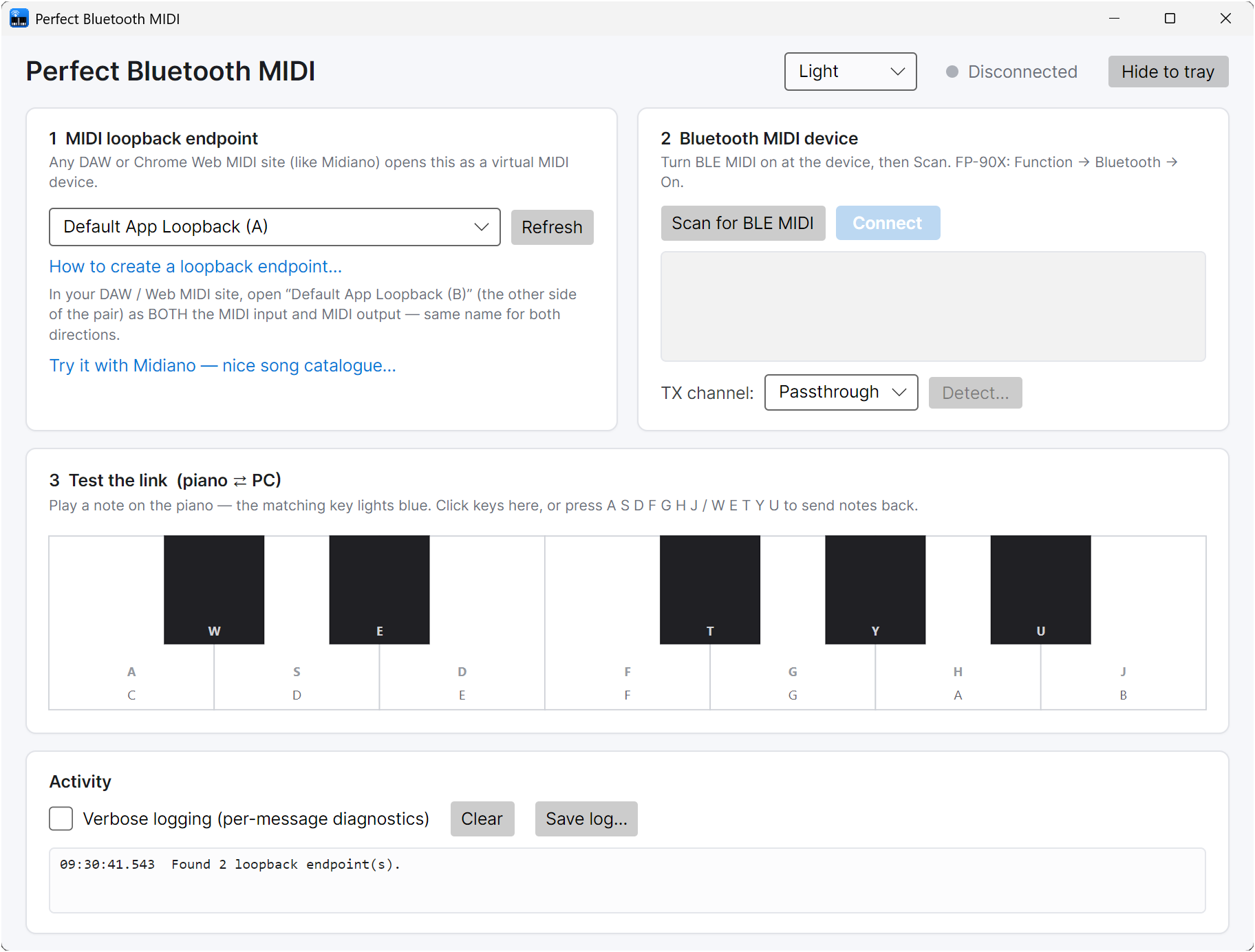
If you have the WMS App SDK Runtime installed, the app declares its own MIDI port on demand — no loopback to create, no MIDI Settings dance. Just type a name. Falls back automatically to the classic loopback flow when the SDK Runtime isn't installed; switch backends in-app at any time, and the BLE link rides through the swap.
↻Auto-scan and reconnect
Quit the app while connected and the next launch finds your last device and reconnects on its own as soon as it advertises. Off-by-one click if you'd rather always pick manually.
🎹Per-device channel detector
Some pianos (FP-90X) silently receive on a channel that isn't the visible Transmit Channel. Click Detect…; the app plays N ascending notes on each channel 1..16. Count the notes you hear = the receive channel. Saved per BLE MAC.
🔒Correct pairing + write mode
Pair proactively before enabling notifications (several BLE-MIDI devices drop MIDI on an unencrypted link while still returning Success at ATT). Prefer WriteWithResponse; some firmware silently drops WriteWithoutResponse.
⌨On-screen piano + CLI
Avalonia UI with a bidirectional on-screen keyboard for quick testing — plus a headless CLI mode (--scan, --connect, --detect-channels, --phase N) for scripted debugging of new devices.
📜Readable diagnostics
Activity panel with a Verbose toggle — shows status-byte names and hex for every message, plus the full GATT service/characteristic tree on connect. Save log… writes it to a file you can share.
🧹Clean quit + tray
Exit unpairs the device so your phone / another PC can take it over, instead of leaving Windows stuck bonded to the keyboard. Hide-to-tray keeps the bridge running in the background; the X button actually exits. Light / dark / system theme picker in the header.
The quirk Most BLE-MIDI "PC→piano silent" bugs aren't BLE bugs
After ruling out pairing, encryption, proprietary ISSC characteristics, and write-mode quirks
on a Roland FP-90X, it turned out the piano receives MIDI on channel 4 while its
front-panel Transmit Channel shows 1. Every NoteOn we were sending on channel 1 was
accepted by the GATT layer and silently dropped by the piano's MIDI engine. No error, no clue.
The built-in Detect… button nails this in about 75 seconds without any DAW setup.
The fix is persisted per BLE MAC, so you do it once per device and never think about it again.